SALE UP TO 30% - USE CHECKOUT COUPON CODE "BF30"
WordPress Premium shop Theme by Gradient Themes
Building a profitable online store requires more than just listing products; it demands a frictionless user experience, lightning-fast load times, and a conversion-optimized layout that turns casual visitors into paying customers. This professional WordPress Shopping Cart Theme is engineered specifically for modern e-commerce entrepreneurs, digital creators, and boutique retailers who want a high-performance storefront without the overhead of complex custom coding.
Fully integrated with WooCommerce, this theme combines a clean, minimalist aesthetic with robust backend flexibility. Every template, layout block, and checkout element is meticulously optimized to reduce cart abandonment, enhance mobile usability, and ensure your products take center stage. Whether you are selling physical goods, drop-shipped items, or digital downloads, this theme provides a rock-solid foundation designed to scale alongside your business.


Super fast Premium SHOPPING theme with tons of features with PRO Version
Created for WooCommerce
WooCommerce Quick View
WooCommerce Wishlist
WooCommerce Compare
Fast, customizable, and clean WordPress theme designed for any kind of store
Optimized Speed
Coded with lightweight, clean PHP and optimized CSS/JS assets to achieve top-tier Core Web Vitals scores, boosting both your user experience and search engine rankings.
Theme is optimized for fast loading to improve your SEO result
$49.00Buy Now
Theme Pro Demos
Theme Features
Fully compatible with WooCommerce plugin
Compatible with page builder, Elementor
One-click demo importer
Support Quick View
Support Compare
Support wishlist
Unlimited Colors
One-click demo import
Multiple Header Layouts
Multiple Footer Layouts
WooCommerce Category Search
Google Fonts
Theme UNLIMITED COLORS
Theme Header options
Increase Conversion rate by 10%
WooCommerce Wishlist
WooCommerce Compare
WooCommerce Quick View
Allow customers to sort inventory instantly by price, category, rating, or custom attributes, paired with a modal quick-view feature that lets buyers inspect items without leaving the catalog page.
$49.00Buy Now
More features
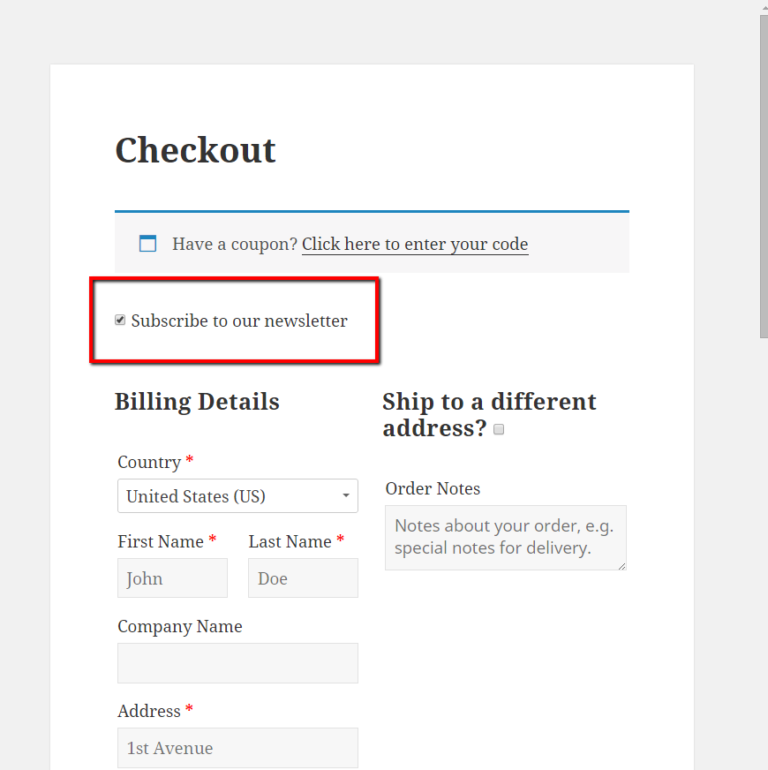
Newsletter subscription SUpport
Grow your audience effortlessly with built-in Newsletter Subscription support. Keep your customers engaged and drive repeat sales
Multistep Checkout
Streamlined single-page or multi-step checkout layouts designed to minimize friction and maximize completed transactions. Features distraction-free checkout options to reduce drop-offs.
Currency Switcher
Built from the ground up to support the full WooCommerce ecosystem, ensuring seamless compatibility with popular payment gateways, shipping calculators, and inventory management plugins.
Customize Checkout and Buttons
How to install theme and Pro Plugin ?
How to install demo contents ?
– Type the plugin search box ‘Starter Templates by Gradient Themes‘
– Install the plugin and activate.
– Click Appearance -> Demo import
(if you install and activate best shop pro plugin or news blog pro plugin, you will have access to all Pro demos)
Change site logo,Title and Favicon
Go to Dashboard >> Appearance >> Customize >> Site Identity.
Click on Select Logo for upload or change site logo from existing logo.
Enter Site Title and Tagline.
Check box option about site title and tagline display.
Click on Select Image for upload favicon.
Click on Save & Publish button.
Configure Background Color
Go to Dashboard >> Appearance >> Customize >> Colors.
Choose the color for site background from Background Color option.
Click on Save & Publish button.
Configure Background Image
Go to Dashboard >> Appearance >> Customize >> Background Image.
Click on Select Image button.
Upload or choose an image for website background.
Click on Save & Publish button.
Setup menus
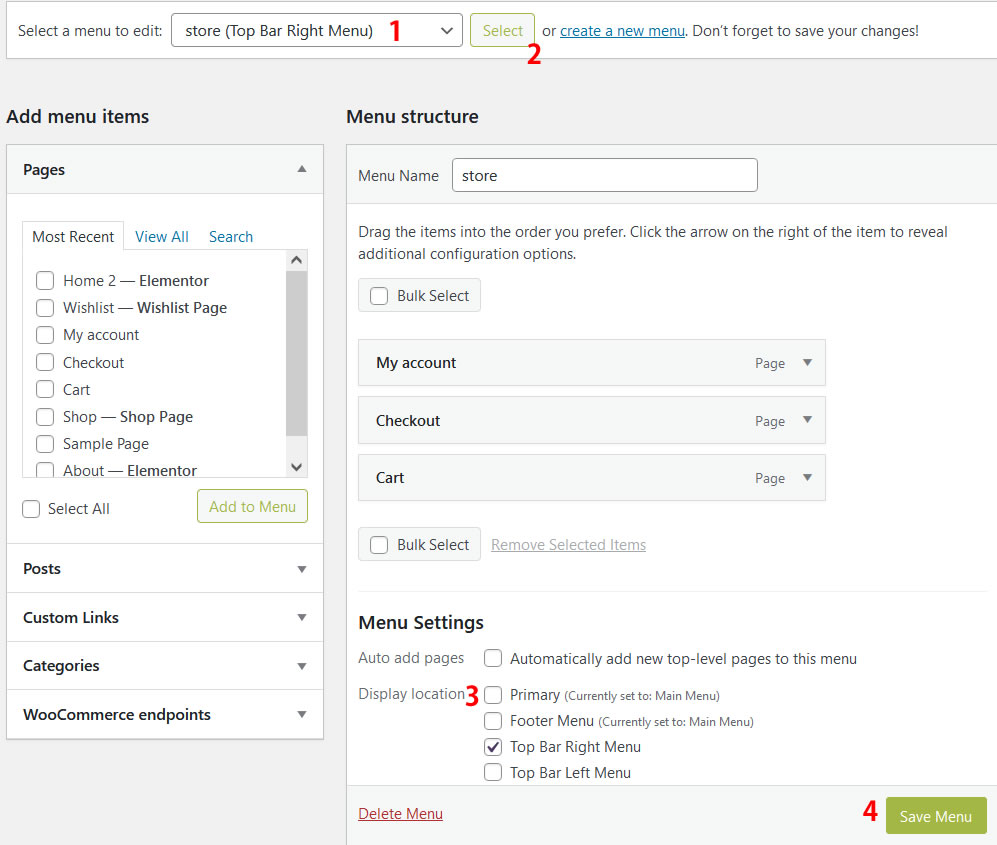
To setup the menu go to WP Dashboard – Appearance – Menus
1-2. Select the menu drop drop down box and click select
3. Select the display location from menu settings
4. click, save menu

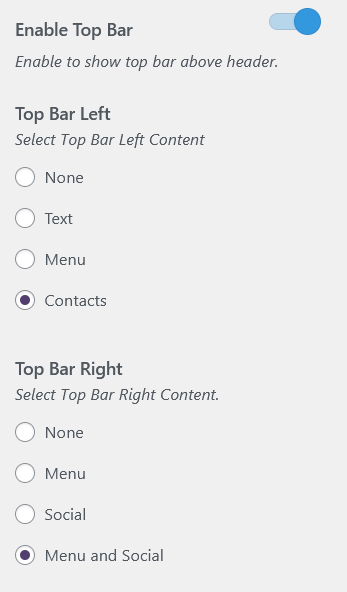
Enable top bar
Top bar is a top most section in the header.
Top bar is a widget area, separated into 2 sections,
To enable the top bar, go to WordPress Dashboard >> Appearance>>Customize>>Theme Options>>Top Bar
Add/remove social links
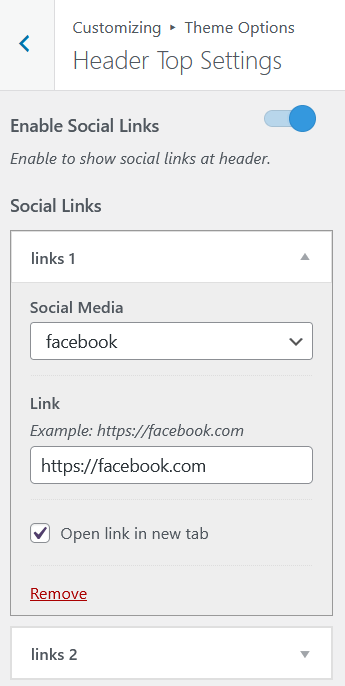
WordPress Dashboard >> Appearance>>Customize>>Theme Options>>Top Bar
Add Contact details
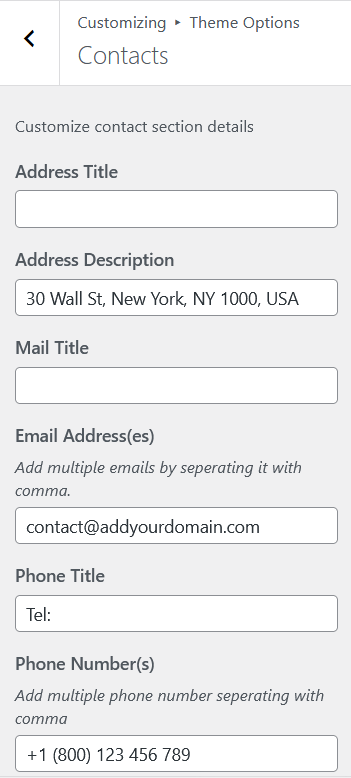
Dashboard >> Appearance>>Customize>>Theme Options>>Contacts
Header WooCommerce search bar

Product search header bar is automatically enabled when WooCommerce is activated.
Enable /Disable top bar in particular page
Edit page or post
Expand Header style settings panel from bottom of the editor
Select header style
Footer credits
Dashboard >> Appearance>>Customize>>Theme Options>>Footer
Colors
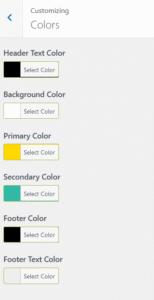
Dashboard >> Appearance>>Customize>>Color
Google fonts
Dashboard >> Appearance>>Customize>>Theme Options>>Fonts
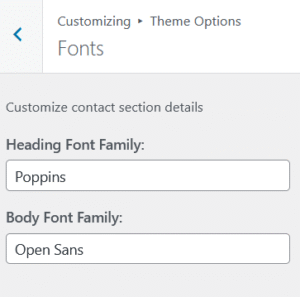
Full Width Template
Edit page using admin bar or dashboard -> Pages -> Edit
WooCommerce Tutorial
Your Questions Answered!
Our all products are 100% GPL. You can install any number of sites.
You can download gradient demos plugin and install demos by just a button click.
Our all products are 100% GPL. You can use it for lifetime, any number of sites.
Please, contact us through our contact form for any custom development work. We have support for both Free and Premium themes. https://www.gradientthemes.com/contact-us/
SALE UP TO 30% - USE CHECKOUT COUPON CODE "BF30"
